 TubeCut Pro
TubeCut Pro
TubeCut Pro
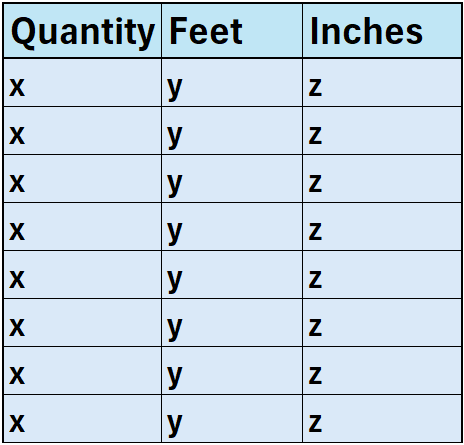
This is the format your CSV or Excel file should follow when uploading cut data to TubeCut Pro:
Quantity — number of times to make the same cutFeet — full feet of lengthInches — additional inches of length
The fields x, y, and z in the image are placeholders — replace them with your actual numbers.
You can work in just inches by putting 0 in the Feet column. Or use only feet by setting 0 for Inches.
You may add as many rows as necessary. The system is fully flexible and will optimize based on your full cut list.
⬇️ Download Excel Template